
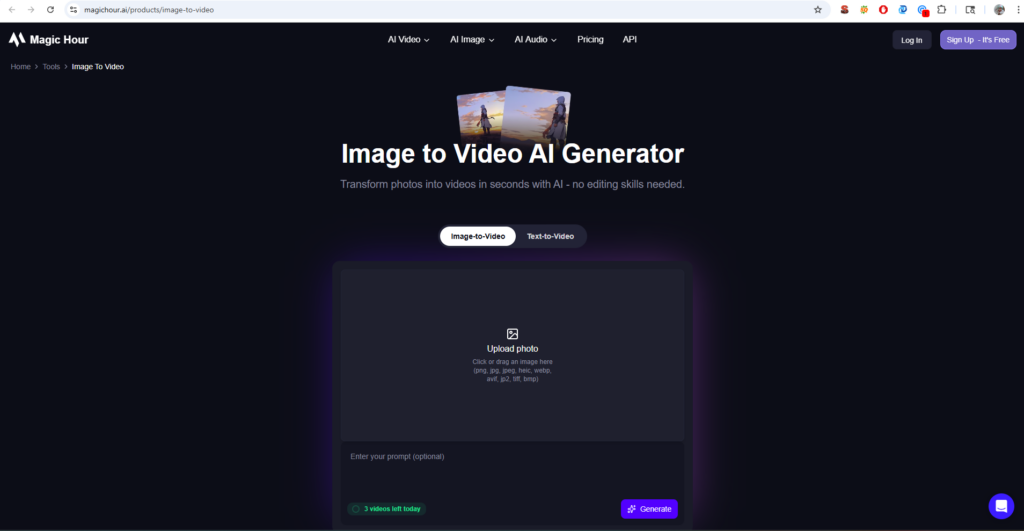
Magic Hour would be the best option among creative professionals who want to have a full-fledged solution with face swap, lip sync, and image to video generation. As of June 2026, the image to video AI landscape has matured significantly. Multi-tool platforms are winning. Full creative studios are replacing single-feature tools by combining image editing, video generation, face swapping, lip sync, and animation in one interface.
Best Image to Video AI
Table of Contents
Here are some of the best image-to-video AI tools:
1. Magic Hour:
Magic Hour has created a unique AI video platform that combines image-to-video generation, face swap, lip sync, and talking photo features all in one place. What sets it apart is the workflow. The platform provides you with access to frontier models like Kling 3.0, LTX-2 (which free users can try at 480p), and Sora-2 through model selection.
Pros:
- Best-in-class face swap and lip
- No signup required to try basic features
- Parallel generations with no concurrency cap
- Full API parity across all tools for developers
- Founder-level support response times
Cons:
- Advanced features require a subscription.
- Rendering can take longer for complex scenes than some competitors
- Some users report occasional quality inconsistency with photorealistic faces
2. Runway Gen-3:
Runway has been a staple in the AI video space for beneficial reasons. Their Gen-3 model produces some of the most visually striking cinematic outputs, especially when transforming landscape photos or artistic images into clips with dramatic camera movements and lighting effects. Where Runway truly excels is control. The platform offers AI magic tools, including inpainting, motion tracking, and background removal.
Pros:
- Advanced creative controls and VFX tools
- Strong cinematic video generation quality
- Integrates with professional production workflows
- Video-to-video style transfer capabilities
Cons:
- Steeper learning curve than creator-focused tools
- The free plan has strict generation limits
- No native talking photo or lip sync features
3. Kling 3.0:
Kling has already risen to the upper ranks as a competitor, particularly among creators who value expressive detail and longer content. The model is capable of producing 1080p video up to two minutes long and also has a high level of understanding of complex physics and motion. Another strength that I found during testing was Kling’s work with the facial expressions and movements of the characters.
Pros:
- Excellent facial expression and character motion
- Custom element support for character consistency
- Available via API through platforms like fal.ai
Cons:
- The free tier limits resolution and watermark outputs
- Less editing and post-generation control than Runway
- No native lip sync or talking photo features
4. Pika:
Pika has established a niche as the fastest and most convenient for short social content. The platform is excellent in converting mere prompts or still pictures into moving clips in a matter of seconds. What makes Pika stand out is its feature set: video-to-video styling, canvas expansion, AI lip sync, and even a sound effects generator.
Pros:
Very fast generation speeds
Clean, intuitive interface
Built-in lip sync and sound effects
Strong for stylized, creative outputs
Cons:
- Less control over detailed motion
- Limited editing capabilities compared to full studios
- Output length caps are restrictive for longer content
5. Luma Dream Machine:
Luma Dream Machine produces some of the most visually advanced AI video outputs on the market. The platform transforms text or image prompts into sequences with realistic motion, dynamic perspective shifts, and natural lighting that rivals traditional cinematography.
Pros:
Outstanding cinematic quality and camera movement
Strong detail consistency across frames
Available on the web and iOS
Cons:
Fine-grained control is still limited
Outputs are generally short (5-10 seconds)
Free tier has significant restrictions
How to Choose These Tools
- Output Quality:
- Lip Sync Accuracy:
- Workflow Integration:
- Free Tier Generosity:
- Speed and Reliability:
- Pricing Transparency:
Conclusion
Platforms like Magic Hour that support multiple workflows reduce the need for separate editing software and are gaining traction as a result. The combination of image-to-video, face swap, lip sync, and talking photos in one platform creates a workflow that no other tool matches. Runway Gen-3. If you need advanced VFX control and are willing to climb a learning curve, Runway delivers. Kling 3.0.
FAQ
What is the best AI image-to-video generator in 2026?
For cinematic quality, Runway Gen-3 and Luma Dream Machine excel. For longer videos with fluid motion, Kling 3.0 is strongest.
Is it possible for AI to animate a photo?
Yes. It is possible through modern AI tools.
Do I need technical skills to use AI image-to-video tools?
No. Most workflows only require uploading an image or entering a prompt. Platforms like Magic Hour and Pika are particularly beginner-friendly.
How much does AI image-to-video cost?
Pricing varies widely. Free tiers exist for most platforms. Paid plans typically range from $8 to $15 per month for creator tiers, with enterprise pricing higher.

